Firearms / NFA inventory
4-minute read
AssetVault was originally built for firearms inventory before the mass-market pivot. The firearms-specific features are still first-class — they just only appear when an item's category is "Firearms".
Privacy-first, with clear boundaries
Your saved firearm record uses AssetVault's local SQLite database and app storage; the complete vault is not synchronized to an AssetVault inventory cloud. The live database is not separately encrypted by AssetVault and relies on operating-system app sandboxing and device-data protections.
The serial-number field is not included in catalog contributions. If a serial or NFA detail is visible in a photo you choose to send to an AI feature, that content travels with the image. Crop sensitive details or use manual entry. Crash events and session-health diagnostics may run automatically with app-side scrubbing; performance tracing is disabled. RevenueCat may contact its service for purchase verification. The Privacy Policy lays out the full data flow.
NFA fields
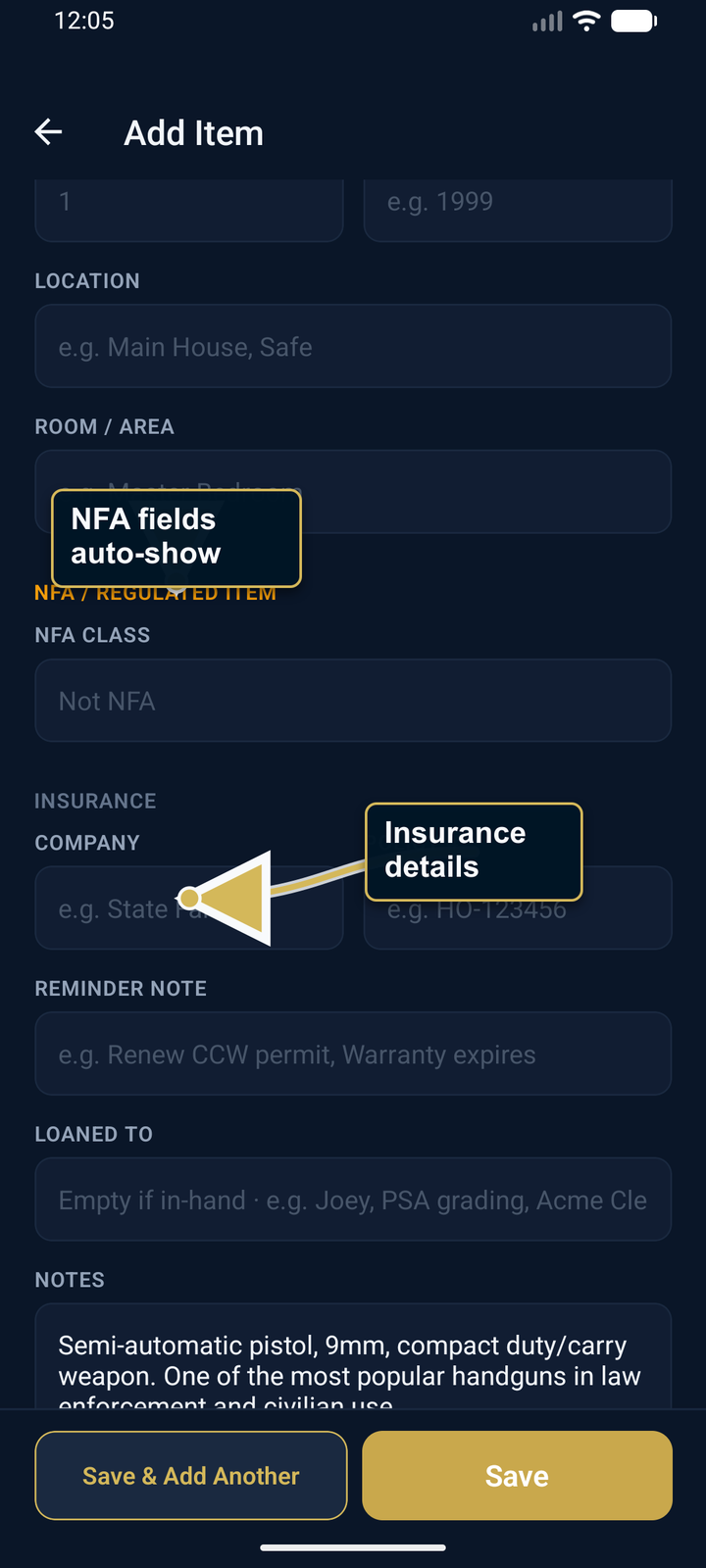
Set Category to "Firearms" and the NFA section auto-reveals (no need to expand More Details). The fields:
- NFA Class — Title I, Title II SBR, Title II SBS, Title II MG, Title II Suppressor, Title II AOW, Title II DD
- Form Type — Form 1, Form 4, Form 5, etc.
- Stamp Status — Pending, Approved, Not Required
- Trust / Entity Name — for trust-titled items
All four are optional. Title I firearms (the 90% case) only need the category set; everything else stays out of your way.
Maintenance log (Range Mode)
Open a firearm's Detail screen, scroll to the Maintenance card, tap "Open log". You get:
- Stats bar: total rounds fired across all sessions, total log entries, days since last maintenance
- Per-entry: type (Cleaning / Range Trip / Parts Replaced / Inspection / Gunsmith Visit / Other), description, rounds fired, cost
Adds three taps deep so it doesn't clutter non-firearm items. Backed up with everything else.
Sharing without leaking serials
If you want to share an item with an insurance adjuster, an executor, or just to brag — open the item's Detail screen, tap the three-dot menu, then tap Share Item. If the item has serial numbers, AssetVault asks before including them:
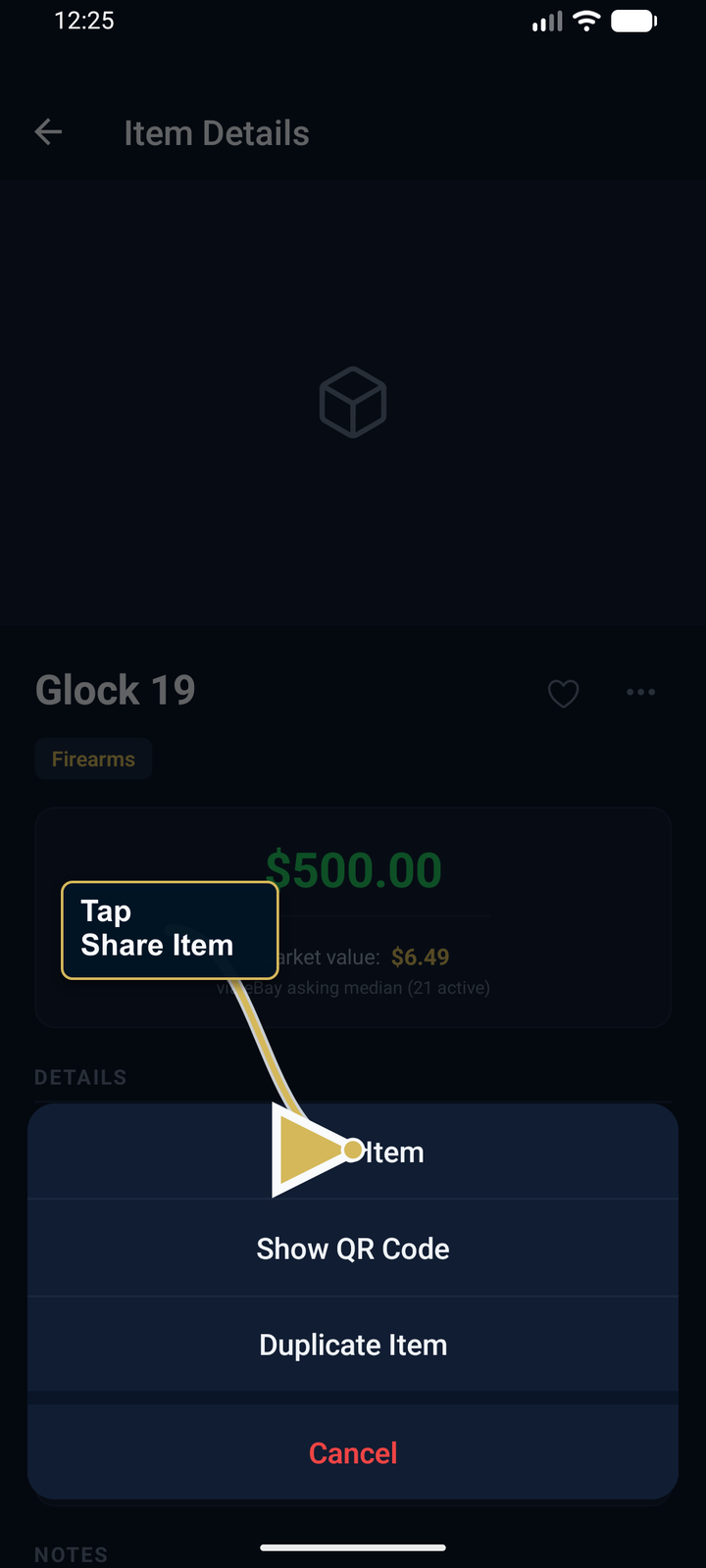
- Share without serial numbers — clean text-only summary, no serial info
- Include serial numbers — full info, with explicit confirmation
PDF insurance documentation
Pro tier. Settings → PDF Report generates user-prepared documentation with a summary and item details. You can share it with an insurance agent, but it is not an appraisal, coverage determination, proof that an insurer will accept a value, or claim guarantee. Ask your carrier what documentation it requires. Full Export ZIP is a separate, unencrypted portability archive; AssetVault can restore it directly and reattach verified archived media.
Legacy Instructions
Settings → Legacy Instructions. A free-text note that says what should happen to your collection if something happens to you. AssetVault stores it through the operating system's SecureStore; the app does not require separate biometric authentication each time the note is read. It is included in a PDF report if you choose to generate one, so protect exported reports appropriately.
Current vault model
AssetVault currently uses one vault per app installation. If you have a separation-of-duties need today, your options are:
- Use a single vault with categories ("Personal", "Business") and the chip filter on Vault
- Two phones, two installs (heavy-handed but works)
If a multi-vault workflow matters to you, send the use case to support so it can inform future planning.