AI Pre-Grade
5-minute read · Collector+
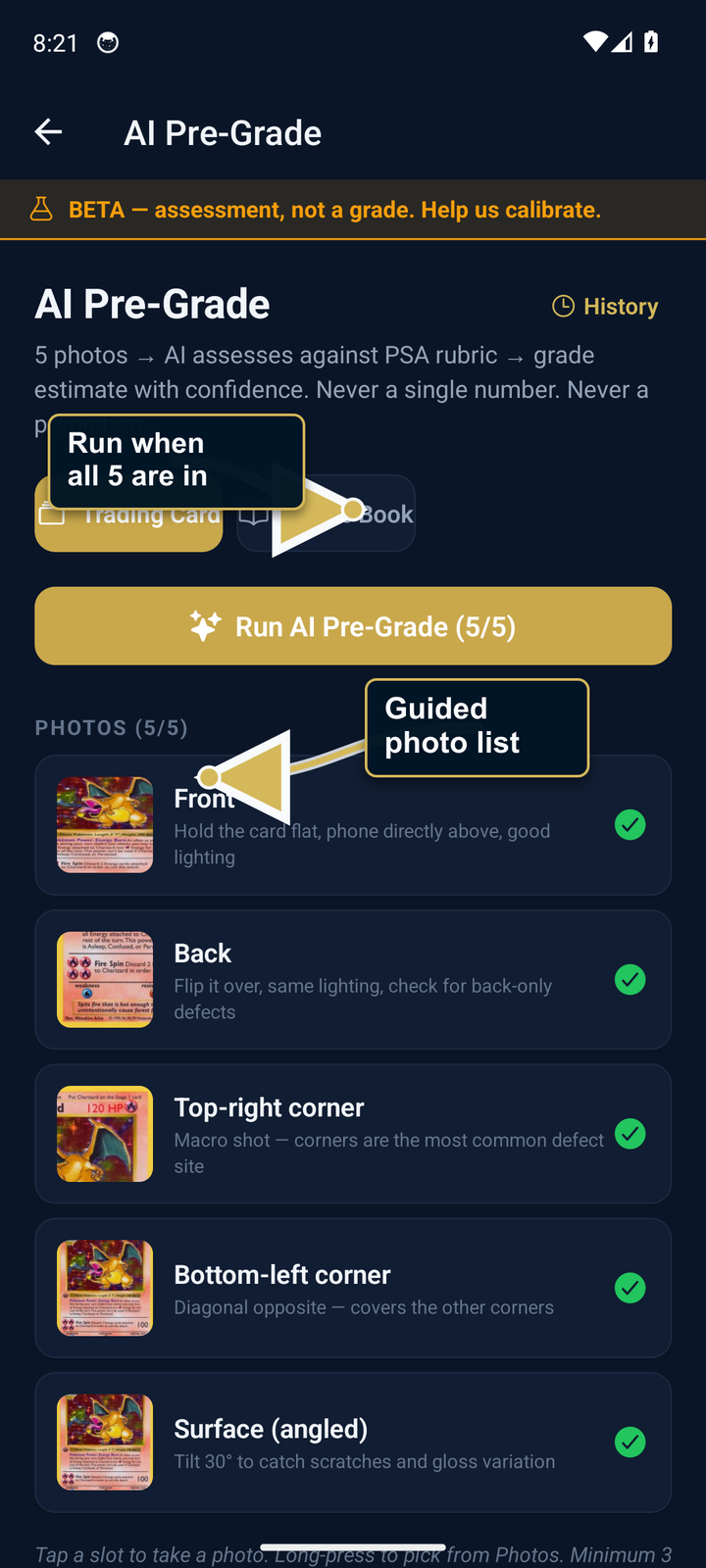
AI Pre-Grade is the AI pre-submission gut check for cards and comics. You take five guided photos. AssetVault returns a grade range with a confidence score. Then the "Should I Grade?" tool tells you whether the resale math makes sense given live per-grade pricing — submit, borderline, or skip.
What it does NOT do
It is not a substitute for PSA / CGC / BGS / SGC. Real grading is done by humans with calibrated lighting, microscopes, and standardized rubrics. AI Pre-Grade is a phone-based pre-screen that helps you decide whether to spend $30+ on real grading.
Below 40% confidence, AssetVault refuses to estimate at all. We'd rather say "we can't tell" than mislead you into a submission.
How to run it
- Open the item's Detail screen, or the AI Pre-Grade tab from the Scan menu.
- Pick Card or Comic.
- Take five photos following the on-screen guide:
- Front — flat, phone directly above, even lighting
- Back — same as front but flipped
- Top-left corner — close-up to read corner sharpness
- Top-right corner — same
- Surface — angled to catch surface scratches in the light
- Tap Run. Result appears in 8–12 seconds.
Add all 5 guided photos before running. The 5-photo capture is what's calibrated against the rubrics.
Reading the result
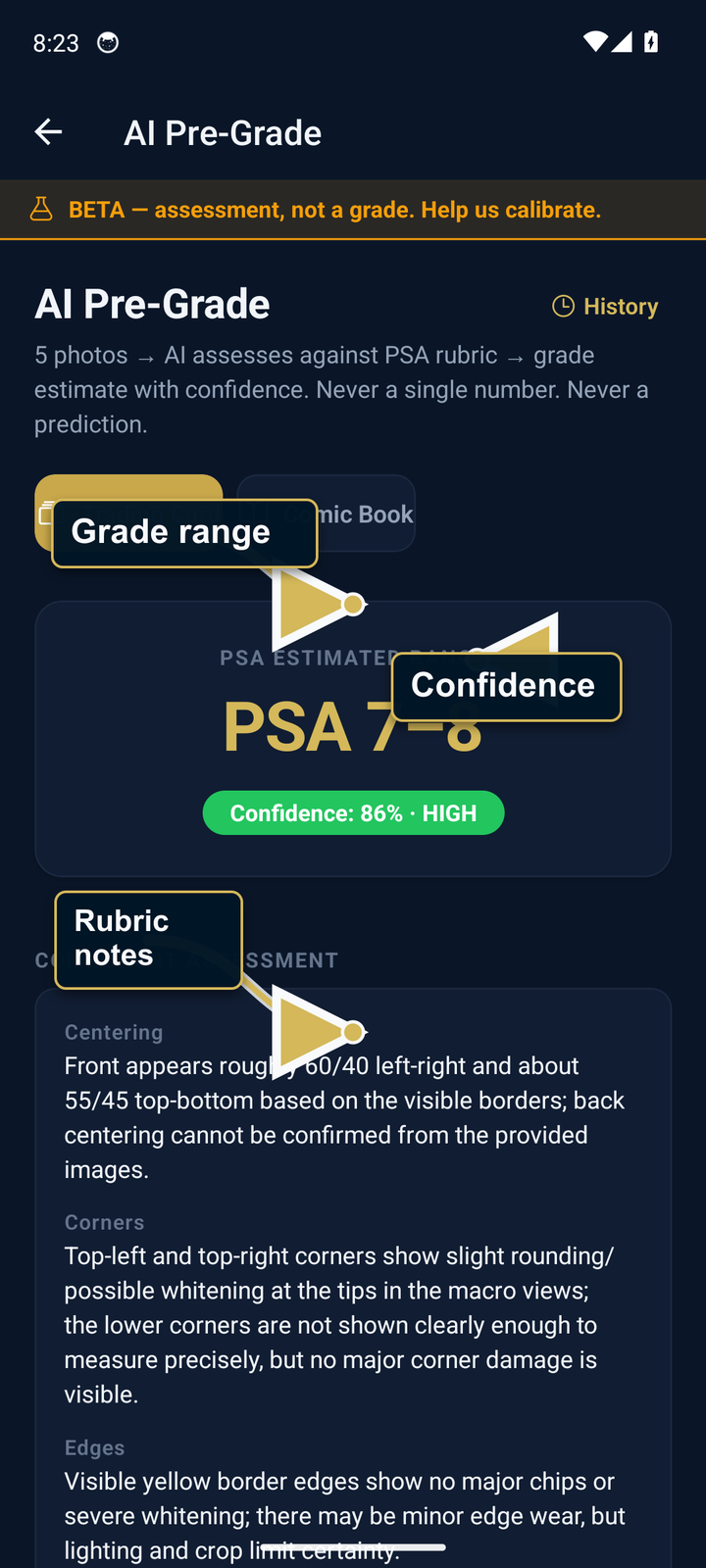
- Bucket — e.g. "PSA 7–8". The estimated grade range produced from the submitted photos.
- Confidence — 0–100. Bands: low (under 60), medium (60–84), high (85+).
- Components — sub-scores for centering, corners, edges, surface. Per the PSA / CGC rubric.
- Flags — specific issues that capped the estimate (whitening on left edge, surface scratch, off-center 60/40, etc.).
- Why this confidence — transparency section. Photo quality, angle coverage, consistency between angles, type difficulty.
"Should I Grade?" decision tool
Tap "Should I grade?" from the result. Enter the item name (or it pulls from Detail). The tool:
- Pulls live eBay active-listing medians for each grade in the predicted range.
- Weights them by confidence — if AI Pre-Grade said PSA 7–8 at 70% confidence, that's a probability distribution across 7 and 8.
- Computes expected value: EV = Σ (P(grade) × market price at grade).
- Subtracts grading fee + shipping (default $30 + $15, editable).
- Shows Submit / Borderline / Skip with the math behind it.
Calibration over time
Completed AI Pre-Grade assessments are saved to local history so you can review or delete them later. This release does not upload that history as a calibration dataset or provide a field for recording the final grading-company result.
Best practices
- Lighting. Diffuse natural light is best. Direct flash hides surface defects.
- Plain background. Black or grey, not patterned.
- Fill the frame. Card / comic should occupy ~80% of the photo for the front/back shots.
- Macro for corners. Get within 4 inches. Tap to focus.
- Surface shot — angle the light. Hold the card just below your light source so scratches catch it.