AI Photo ID
2-minute read · Collector+
AI Photo ID is the demo moment. You choose a photo and a configured AI provider suggests fields such as name, category, year, condition, and estimated value. Review every suggestion before saving.
How to use it
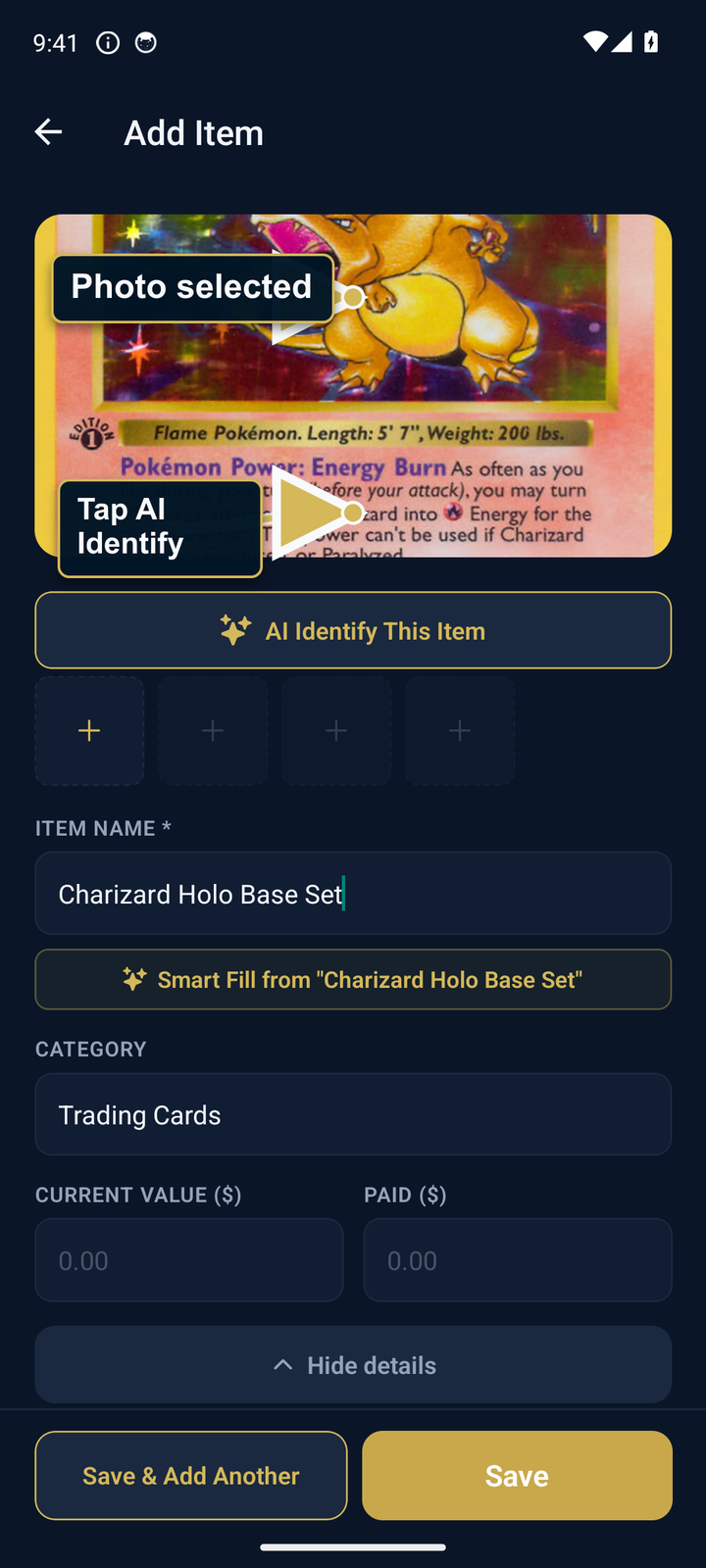
- Tap the center "+" button to open Add Item.
- Tap the photo placeholder. Take or pick a photo of the item.
- Wait for processing. Timing and the fields returned depend on the image, network, and provider.
- Edit anything that's wrong. Save.

Bulk import — the secret weapon
Got 100+ items already cataloged in another app? Don't add them one by one.
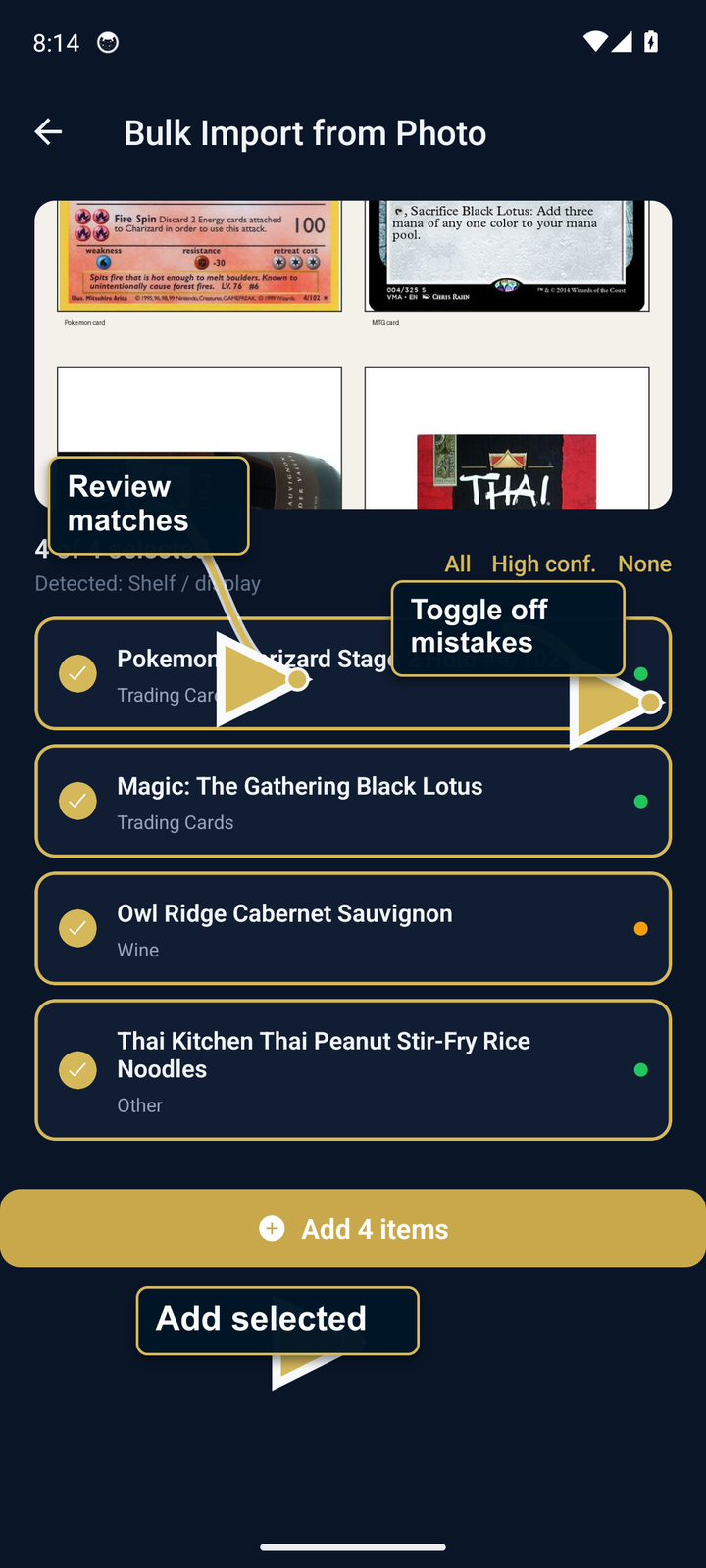
- Take a screenshot of your old app's item list (or photograph a binder page, a shelf, anything with multiple items visible).
- Open Settings → Import → Bulk Photo Import. Pick the screenshot.
- Wait for processing. AssetVault shows the items it could extract, with confidence scores. Items above 50% confidence are pre-checked.
- Toggle off any false positives. Tap "Add N items".
It works on screenshots from Sortly, CLZ, CollX, Cardbase, ManaBox, even handwritten lists.
What it's good at — be specific about expectations
Honest read by category, based on what AI vision models can extract from a phone photo:
Strong
- Trading cards. Pokemon, Magic, Yu-Gi-Oh, sports cards. The card has the name, set, and number printed on it — AI is essentially reading text + matching art. Expect game + set + card name + a value estimate.
- Comics. Publisher logo + series title + issue number are right on the cover. Same OCR-style read.
- Sneakers. Air Jordans, Yeezys, Dunks, Nike SB — silhouettes are extremely distinctive and colorways have well-known names ("Bred", "Chicago", "Travis Scott"). Front-three-quarter shot usually nails brand + model + colorway. Live eBay active-listing medians give usable asking-price context (StockX is more authoritative for sneaker resale, but eBay tracks the floor).
Hit-or-miss
- Watches. Often gets the brand right (Rolex, Omega, Seiko logos are distinct). Model identification is harder — a Submariner Date 126610LN looks 95% identical to a 124060 to a phone camera. Reference numbers usually live on the back of the case, not visible in a typical front-shot. Treat the AI guess as a starting point, not gospel.
- Electronics. Most-popular phones, laptops, gaming consoles → reliable. Niche models, refurbs, custom builds → drops sharply.
Limited — manual entry recommended
- Firearms. AI may recognize a manufacturer or broad model family, but generation and caliber can be wrong. The stored serial-number field is not added to the AI request. However, any serial number or sensitive text visible in a submitted image travels with that image, so crop it out first. For NFA items and exact specs, fill in by hand.
- Jewelry, custom items, heirlooms. No public catalog for these — AI defaults to generic descriptions. Fine for "yes it's a diamond ring" but not for stone weight or specific maker marks.
- Items in storage. Closed boxes, sleeved items, cloth bags — AI can only describe the package.
How AssetVault handles uncertainty
When the model's confidence is low it returns name "Unknown Item" with category "Other" rather than guessing. You always see the result before saving and can edit any field. We never silently overwrite manual entries.
For categories where AI is hit-or-miss or limited, the value of AssetVault isn't the AI ID — it's the rest of the toolkit (Pro features). Firearms collectors get NFA tracking, range/maintenance logs, and PDF inventory documentation. Watch collectors get serial tracking, service history, and warranty document storage. AI Photo ID is a bonus for those categories, not the headline feature.
Privacy
The selected photo and any text or category hints needed for the feature transit catalog.chrisrulz.com, a self-hosted service we operate, and the Google Gemini Developer API. The catalog service is not designed to retain submitted photo bytes, but Google's terms and retention practices apply after forwarding. AssetVault does not guarantee that every image has EXIF or GPS metadata removed. Text or serial numbers visible in the image travel with it, so crop or avoid sensitive details before submitting.
If you want zero AI calls, just don't use the feature. Pro tier doesn't include it.